

Before we change the size of a part on the hard disk, we must make sure that we leave enough room for the system partition (for the operating system) and that at the data on the hard disk we made a backup (backup) on another hard or on a data support.
We know that to increase, shrink, wipe or create the parties on hard disk There are many programs and methods, but EaseUS Partition Master Home Edition It is an application very easy to install and easy to use. In addition, it gives us some extra options of management If I deplete hard disk.
Download EaseUS Partition Master Home Edition
After installing this program, things become very simple.
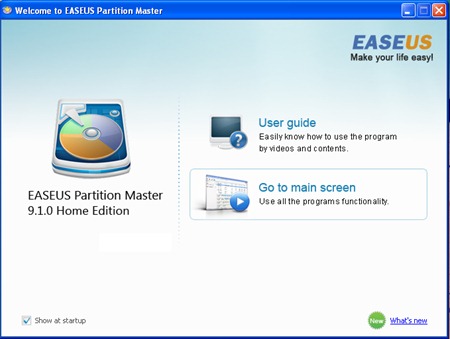
We click on “Go to main screen” And from the list of partitions displayed we choose the one who is interested in changing it. If we want to change its volume, then select the partition and click on the button “Resize/Move“.
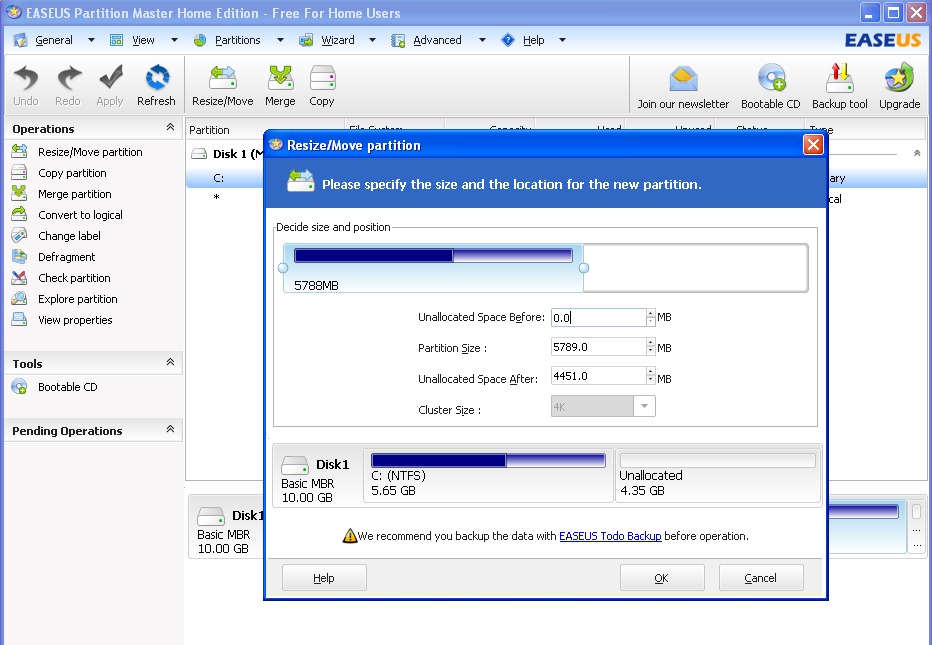
Click on the buttons OK and Apply to start the process of resizing the partition.
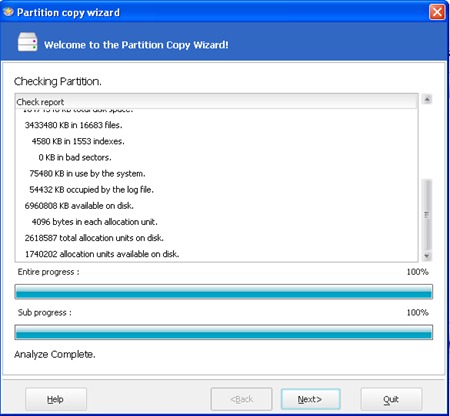
In addition to the options for resizing partitions on hard disk, Easeus Partition Master Edition also offers some very useful options. With Easeus Partition Master Home Edition we can Copy very easily all the contents of one part on another partition or on an external hard drive. To do this we use the option “Copy partition” from the menu on the left side of the application.
Another very useful option is “Merge partion“, which allows us to combine (glue) two partitions on the hard disk. This option will transform from two parties into a single one, keeping the data content of both partitions. It is a very useful option for those who have several data parts and want to give up some of them, in favor of a larger volume partition.
In addition to the options presented above, Easeus Partition Master Home Edition has a few less used. “Convert to logical” for conversion into logical partitions (impossible to perform for the system partition), “Change Label” to name the partitions, “Defragment” For the defragmentation process and “Check Partion” to identify any Existing errors on hard disk (Use the Windows process chkdsk.exe)
EaseUS Partition Master Home Edition is a 100% free application and is compatible with Windows 2000 Professional operating systems, Windows XP , Windows Vista, Windows 7 / SP1 (32 SI 64 bit).
Stealth Settings – Program for enlargement, shrinking, deleting and creating partitions on hard disk (Download HDD Tool).


You may also be interested in...

3 thoughts on “Program for enlargement, shrinking, deleting and creating partitions on hard disk (Download HDD Tool)”