


In case you have experienced license errors the suita Microsoft Office and you had to delete validation code of this from system registers to be able to enter a new code, you know how difficult it is to identify the correct registries or how risky it is to make changes to system files. For this reason, the majority userilor MS Office who have problems with the license choose to uninstall and then to reinstall suite to correct errors.
Because uninstalling and reinstalling the Microsoft Office suite is an operation that consumes a lot of time, time that users often do not have at their disposal when they have to complete/edit certain projects, a much faster method is deleting the license code with the help Office Key Remover.
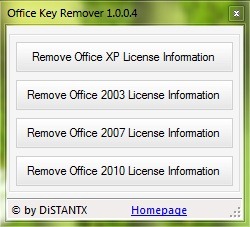
Office Key Remover It's O Free application, compatible with Windows XP, Windows Vista, Windows 7 and Windows 8, with which MS Office users who are experimenting license errors pot flash the validation codes of it from System Register for suitele Office XP, Office 2003, Office 2007 and Office 2010. The application has a Simple interface, very easy to use: downloadati, install, then click on one of the four buttons of Remove, in function the suita Office used.
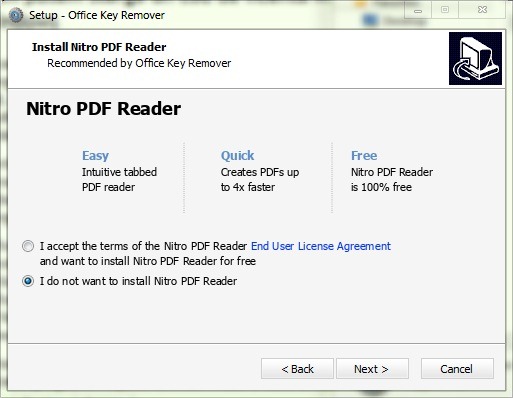
Note: When installing the application, you will be asked to install Nitro PDF Reader; if you don't want to install that program, check "I don't want to install Nitro PDF Reader", then click Next.
Careful! The application requires administrator privileges to run.
STEALTH SETTINGS – How to remove MS Office product key from Windows Registry


You may also be interested in...
