


Currently, all of them browsers existing ones provide users with the possibility to view History of navigation and to search and access anything URL of the ones visited (with the exception of private browsing). But when they are used Browsers Multiple on one computer, finding a certain Web pages in their browsing histories can be quite troublesome.
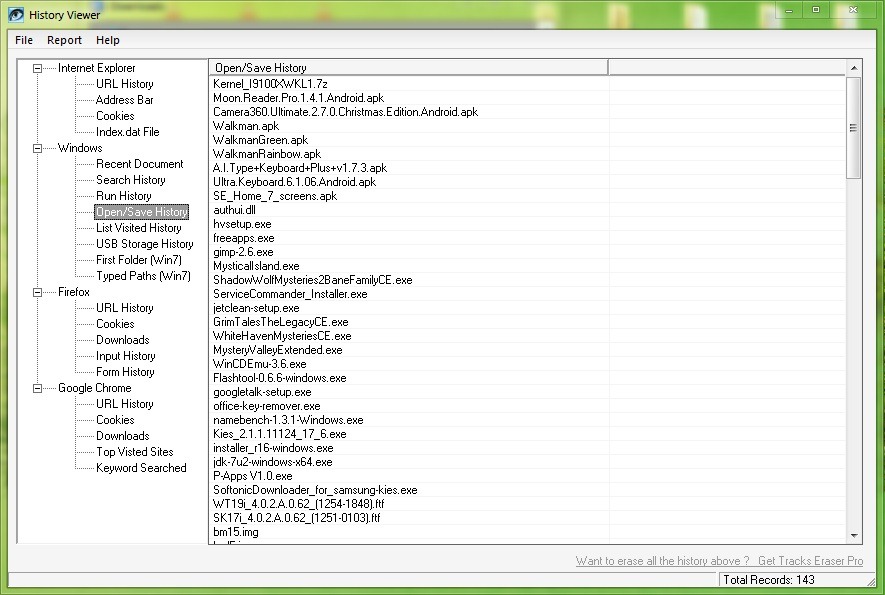
History Viewer It's O Free application which allows users Windows to display everyone's browsing history in one place browsers installed in the system, also and Windows search history, making their visualization much more accessible.

The application is compatible with browsers such as IE (7, 8 and 9), Firefox and Chrome, and displays inclusively istoria Windows Search and recently accessed documents. With the help of History Viewer users can view the websites visited in a certain period, the accessed files, the movies and pictures viewed And so on In addition, they can also be accessed istoria Run, istoria Open/Save, download history made, a cookies etc.
{filelink=32}
To access any item in the history displayed by the History Viewer, you only have to double-click on it and it will be opened in The browser set as default. You can also export history displayed in the format HTML.
STEALTH SETTINGS – How to view history of all browser in one place
Credit @historyviewer.net


You may also be interested in...

3 thoughts on “How to see the history of browsing all the browsers installed in one place”