


Let's assume that a large part of your time in front of a calculator you spend it at work or school. Also, let's assume that during work or school hours you are not allowed to access certain Web pages (or rather most of the pages you usually access :D) and you are not allowed to install/use SOME Applications (usually IM applications, diverse games and his little games media players). And now, let's suppose absurdly, that the boss/administrator/supervisor/teacher (or simply a individ who doesn't mind his own business) is out of nowhere very close to your desk, or worse, for no particular reason, wants to check your computer. What can you do in such situations?
Don’t Panic! it is application ideal for such situations, helping its users to hide with a single click applications compromising (or installed without the consent of the bosses or administrators) and also with a single click (usually the same one :D) to clear browsing history (browsing history) from Internet Explorer. In plus Don’t Panic! este portable, that is, it can be installed on a USB Stick or in any obscure corner of HDD (and also launched from there whenever necessary).
How does Don't Panic!
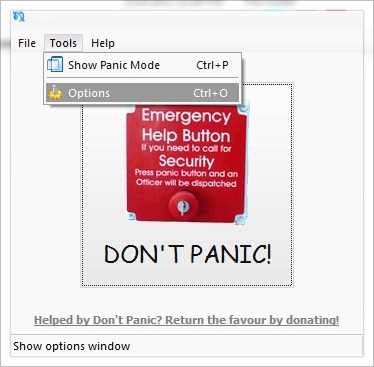
- after installing the application, run it and click on Tools, then select Options from the displayed menu
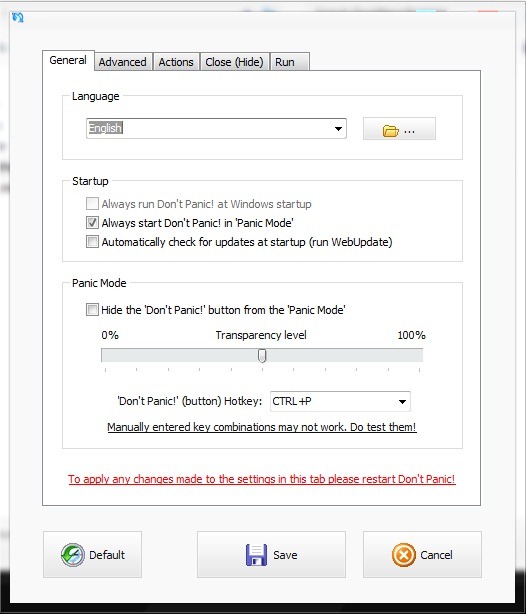
- in tab-ul General you can set the transparency of the application, you can modify it shortcut-ul for the panic button or you can set if the application will run or not at system startup or if it will run in Panic Mode.
- in tab-ul Advanced you can set whether the application can be started with or without Administrator rights
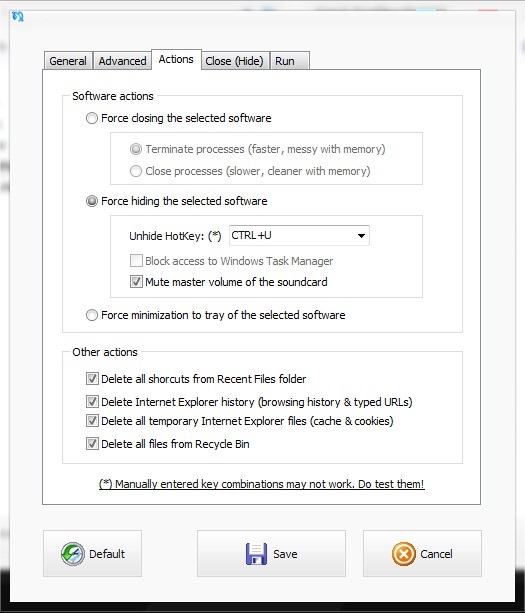
- in tab-ul Actions you can set what action the application will take when it is pressed the panic button (or when it is typed shortcut-ul for this), namely to close, to hide or to minimize the applications in the systray. You can also select to delete Recent Files, History of navigation and the addresses entered in Internet Explorer + temporary files and the files from Recycle Bin.
- in tab-ul Close (Hide) you can select which applications you want to Close or SA hide when necessary.
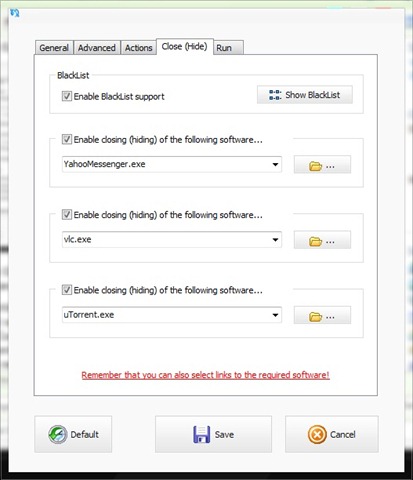
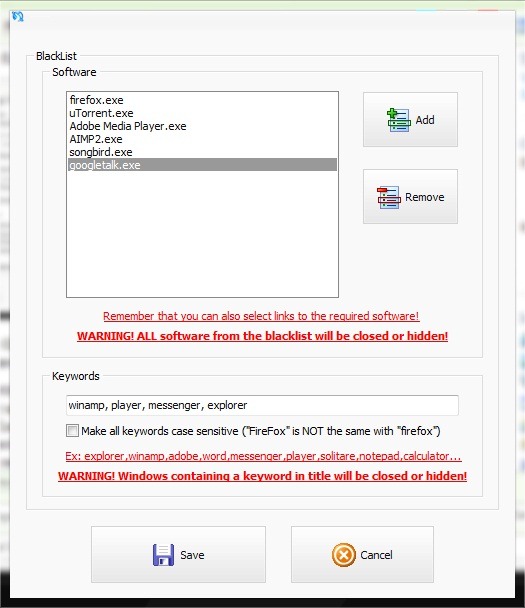
- If you want to hide/close more than 3 applications, then tick Enable BlackList support, click on Show BlackList, then add the respective applications to the list. To make sure you haven't skipped any, you can fill in a few keywords, and when necessary, all applications that contain the respective words in the name will be hidden or closed.
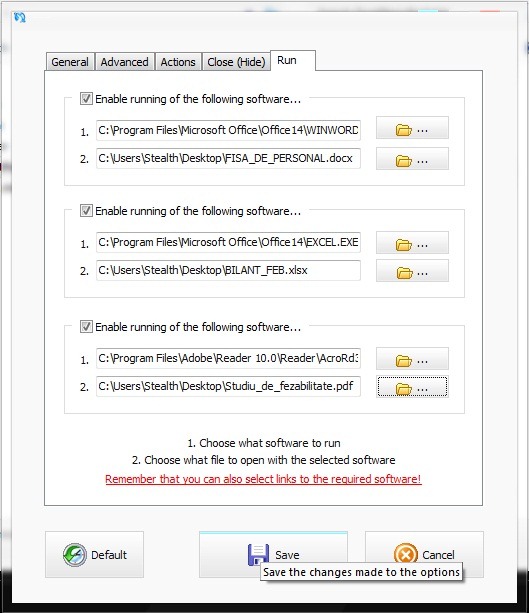
- in tab-ul Run you have the possibility to set up to 3 applications that you want to run when you press the panic button, and you can also select the files to be opened with them.
USING Don’t Panic! make sure that you will never be caught "stepping wrong" at work, at school and why not (:D) at home. Success!
Note: Compatible with all versions of Windows XP, Windows Vista and Windows 7.
STEALTH SETTINGS – Remove browser History and Hide or Close “forbidden” Apps with a single click


You may also be interested in...
