

Upon installation of the operating system Windows XP, Windows 7, Windows 8, Windows 8.1 or Windows 10, every PC / computer receives one name. Computer Name. In the case of PCs with Windows 10 operating systems, the name is the form “Desktop-75svCds” for example. These names can be given either implicitly when installing the operating system or user during registration. Computer name have to help us We identify the computer in reteaua (LAN) andbe unique.
If at installation you have chosen a name you want to change or want to change the name Given by default when installing the Windows 10 operating system, you can do this by following some simple steps.
How can we change computer name (PC) with Windows 10
1. We open the panel SettingsAl Windows 10 and we go to “System“. The first option of the image below.
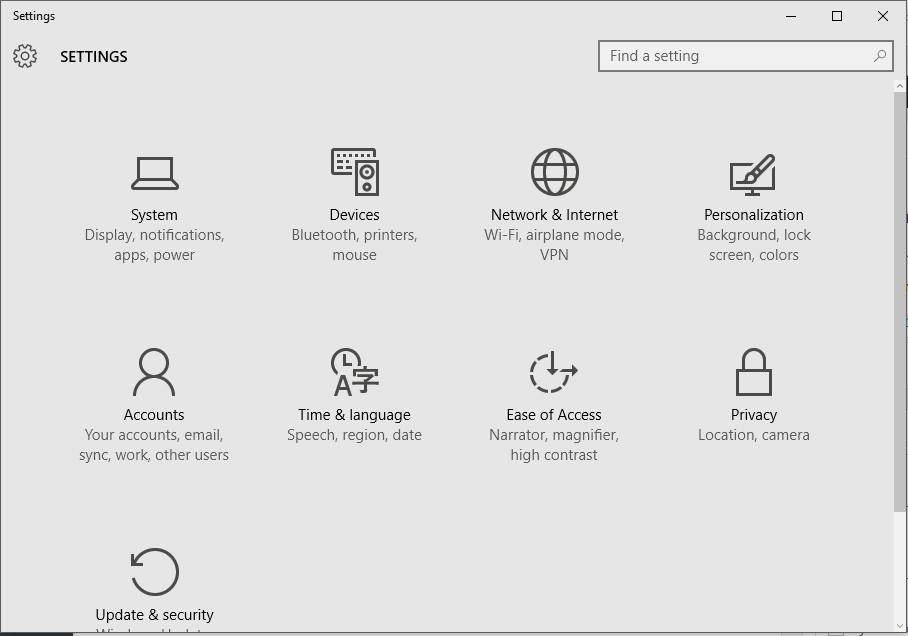
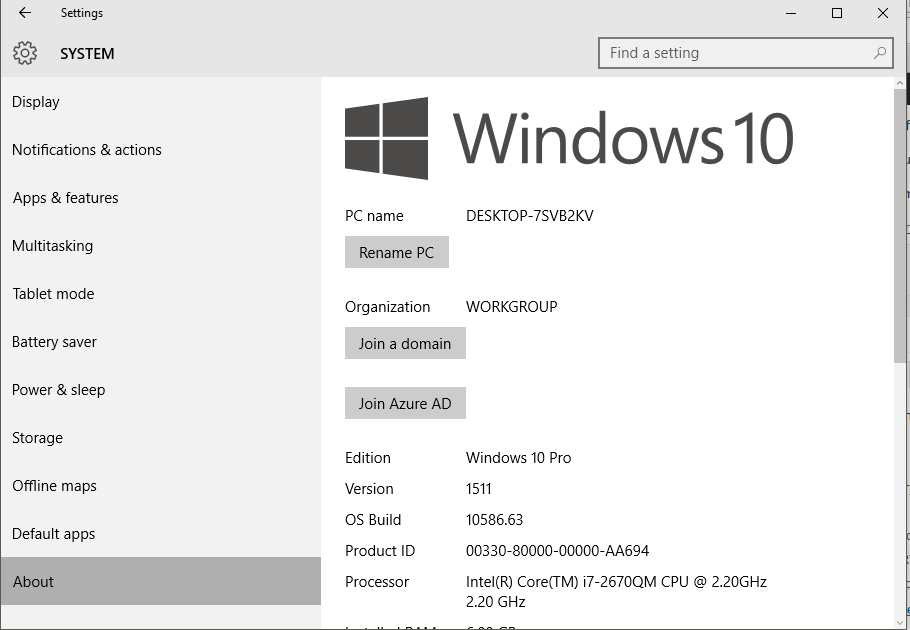
2. In “System” We go to the last option of the menu on the left. About. Then to the option “Rename PC“.
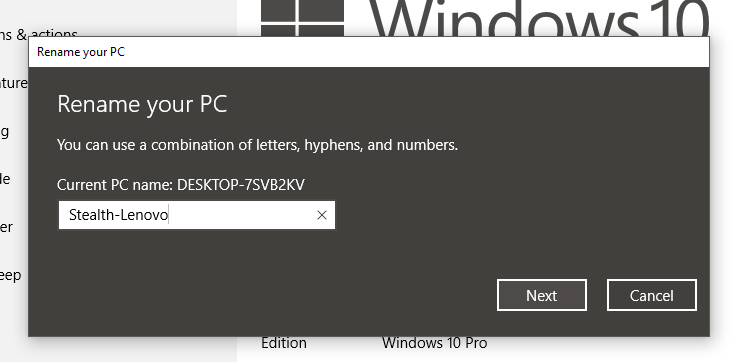
3. After clicking the 'Rename PC”, Insert the name that you want to put on the PC, then click on “Next”. You keep in mind that the name of the PC may contain characters from A to Z written in small or capital letters, numbers from 0 to 9 and the hyphen character (-). PC's name cannot contain other special characters (eg:!@#$%^&) or spaces.
4. Restart for your chosen name to be recorded on the system.
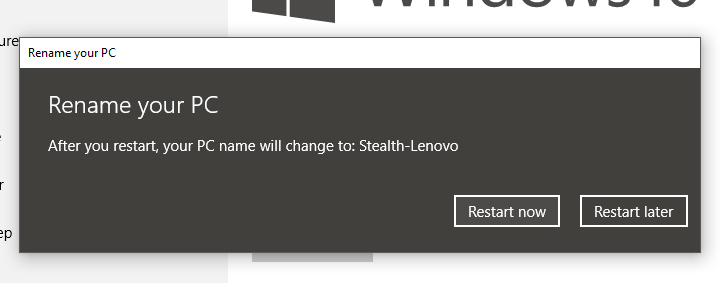
After the restoration, the name of the operating system will be changed, and it will be identified in LAN (local network) with the new name.


You may also be interested in...

3 thoughts on “Change your PC name to Windows 10 – Change Computer Name in Windows 10”
My PC is hacked and the hacker has called my PC for Grimme Boy. Can it be blocked or removed?
I will call my PC: Pegasussx
OK. I am excluded on most of my own PC.
e-mail also occasionally. Nice if I can change my name and preferably keep the hacker out,,,,,,
It is a lot that needs to be learned.