

In some cases when we install an System Nou de Opeare Windows on one computer which worked a certain period with another operating system (either Windows, a previous version, or Linux), it may happen that the new system does not recognize certain hardware component but computer. If you have recently installed Windows 8 on a computer you have previously run another Windows system and it does not recognize DVD-RW unit (or CD-RW), you can solve the problem by following the instructions below.
How do Windows 8 do to recognize the DVD-RW/CD-RW drive?
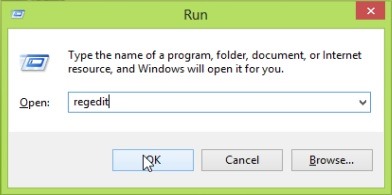
- open Registry Editor (use the combination of keys Windows + R to open Run, then tatter regedit And give Enter)
- Navigate to the key HKEY_LOCAL_MACHINESYSTEMCurrentControlSetServicesatapiController0
- In the right panel, create the dword entrance EnumDevice1, to whom you will give the value 1 (Click-right on it and Modify)
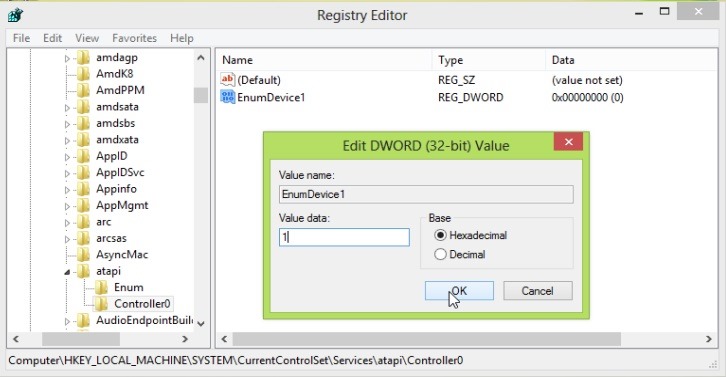
- Then close Registry Editor
And ready. Windows 8 will recognize DVD/CD-RW drive without any problem. Success!
Note: Valid tutorial for Windows 7 and Windows Vista.
STEALTH SETTINGS – What do we do if Windows 8 can’t detect DVD-RW?


You may also be interested in...
