

Without one cont Microsoft, users Windows 8 cannot access Windows 8 Store and download applications from it. Also, No multiple accounts can be used Microsoft at the same time in Windows 8 Store.
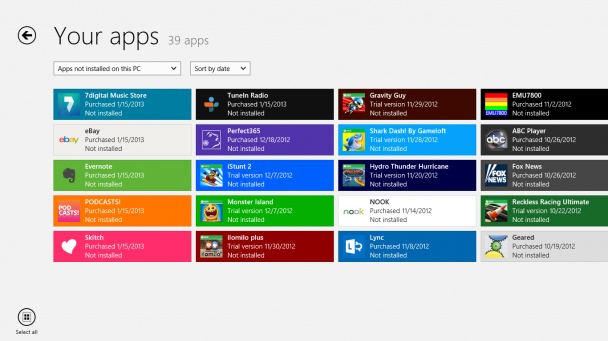
Applications bought from Windows 8 Store can be restored by users on any computer or device with Windows 8 installed, provided they use the same cont Microsoft which they used when they bought those applications. If you want to Change Microsoft account recorded in Windows Store To have access to certain applications (which have been bought with another Microsoft account, for example that of a friend), then the instructions below will be useful.
Change Microsoft account registered in Windows 8 Store
- Access Windows 8 Store giving click on tile Store FROM Start Screen
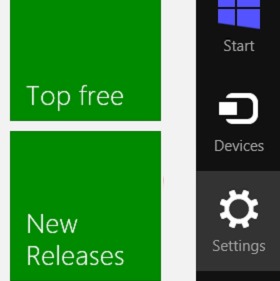
- Then open MENU Charms in Store (take the mouse cursor to the right-hand corner of the screen) and select Settings
- In the open panel (on the right side of the screen) Select Your account
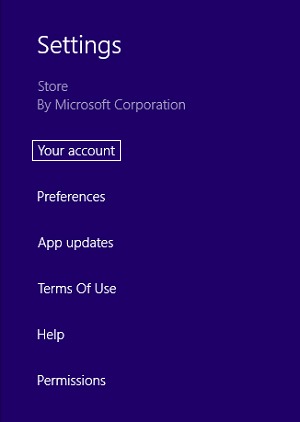
- Then click on the option Change user
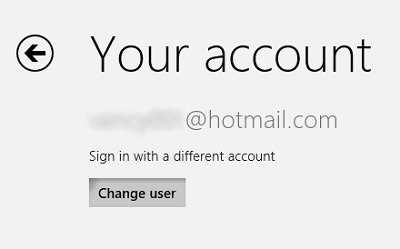
- ENTER email address and word For the new cont Microsoft that you want to use in Windows 8 Store and save the changes made
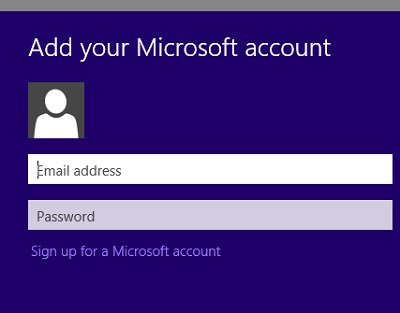
And ready. In this way you will be able to Use Windows 8 Store with the new Microsoft account registered And you will be able to download and use the applications that were bought through the respective account.
STEALTH SETTINGS – How to change your Microsoft Account registered in Windows 8 Store


You may also be interested in...
