


Most users The x he prefers to keep it Desktop clean and orderly and not to display too much icons on it to avoid crowding. But there are enough people who don't always take this into account and whose desktops often end up with a messy look (usually when we are saving a file or We install an application, in the vast majority of cases they implicitly place icons on the desktop as well). In certain situations, however, even users from the second category need (at least temporarily) one clean desktop for various reasons (let's say you want to make a screenshot and you don't want to advertise your desktop).
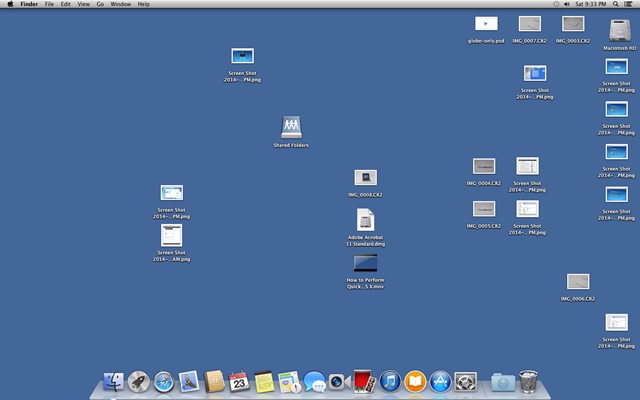
In case and the Mac desktop yours is crowded and you want to hide all displayed icons/files pe acesta (insa nu doriti sa le stergeti), puteti face acest lucru foarte simplu folosind instructiunile de mai jos.
Cum putem ascunde toate iconitele de pe desktop-ul unui Mac?
- open Applications and select Utilities, then open Terminal
- In the open window type command defaults write com.apple.finder CreateDesktop false And give Enter
- then restartati Finder-ul folosind comanda killall Finder
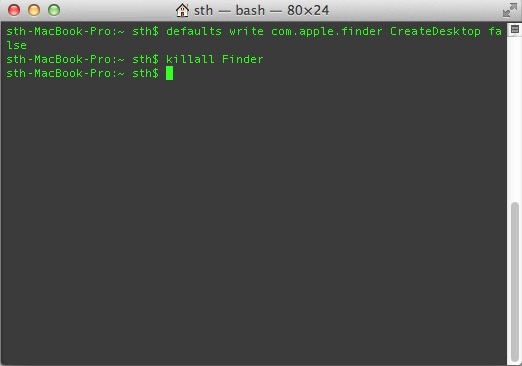
Dupa ce veti folosi aceste comenzi, veti observa ca toate icons de pe desktop (fara exceptie) au fost hidden, lasand desktop-ul curat.
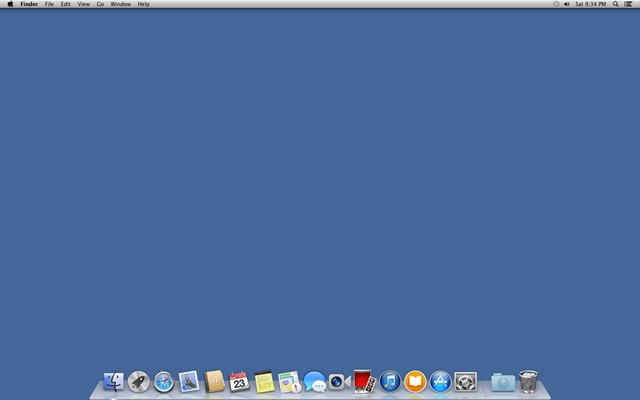
If later you want to reafisati iconitele de pe desktop-ul Mac-ului, folositi comanda defaults write com.apple.finder CreateDesktop true, apoi restartati din nou Finder-ul using the command killall Finder.
Nota: Iconitele si fisierele ascunse de pe desktop pot fi accesate in continuare din Finder > Desktop.
STEALTH SETTINGS – How to hide desktop icons in OS X


You may also be interested in...
