

Some time ago (after the release of the first version of Android Ice Cream Sandwich), Adobe decided to stop development of Flash Player for Android operating system, which means that it is not available for newer versions of it, such as Jelly Bean, and will not be available for either Key Lime Pie. But this led to incapacity Android users to view content that uses Flash, such as some videos or Online games, even certain ones site-uri web.
For users who want to find out how they could still install Flash Player in Android you are view Flash content with its help, the following instructions explain both where it can be downloaded (considering that it is no longer available at dowload in Google Play) as well as which applications are needed to be able to view the content it uses Flash Player-ul (most Android browsers no longer support Flash plugin).
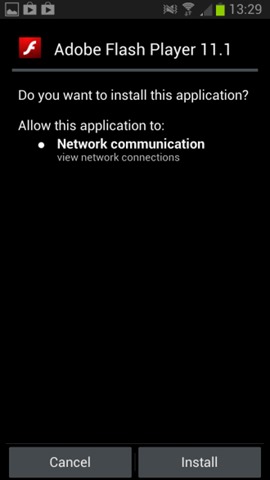
How do we install Flash Palyer on Android devices?
The official source where can we download Flash Player for Android it is site-ul Adobe, where they are kept in archive all previous versions of Flash, including the Android versions (select its newest version to download).
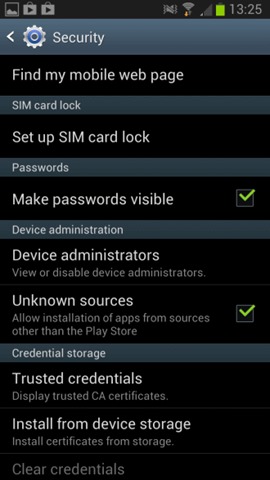
Before a install Flash Player on Android, make sure you have it activated installation from unknown sources (Settings > Security > Unknown Sources).
How do we use Flash Player on Android devices?
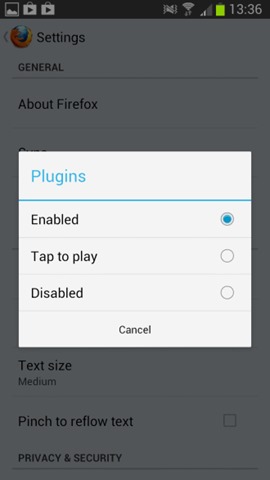
After installing Flash Player-ul on the Android device, you must also install a browser which still offers Flash plugin support. One of these is browser-ul Firefox, which can be downloaded from Play Store. This will activate the Flash plugin automatically after installation, but you can modify it SETTINGS depending on preferences by pressing menu button when Firefox is active, then selecting Settings > Plugins.
Download Flash Player for Android.
Download Firefox for Android (via Google Play).
Note: There is a possibility that some sites with Flash content will identify the user agent of the Android device to prevent the content from being displayed. You can solve this problem by installing extensia Phony for Firefox, this allows users to modify the user agent to prevent the restriction of the use of Flash Player.
STEALTH SETTINGS – How to install and use Flash Player on Android devices


You may also be interested in...
