


uSERS Windows 8 they most likely noticed (if not, now you know the reason why they disappeared FILES which you then find in Recycle Bin) as opposed to previous systems, in the new Windows OS, Microsoft disabled confirmation message for delete files. If before enough users found the confirmation dialog to be somewhat irritating (especially when they had to delete files consecutively), they will definitely miss it as soon as they start deleting files by mistake, without any prevention.
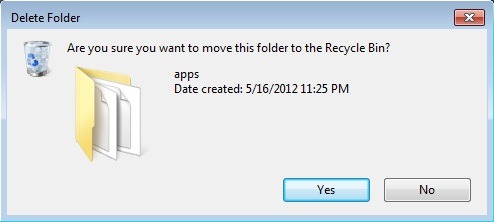
How do we reactivate the confirmation dialog for deleting files in Windows 8? Simple.
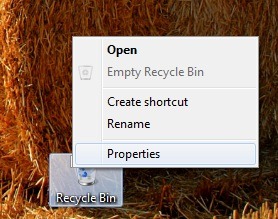
- right-click on the icon Recycle Bin from Desktop
- Select Properties from the displayed menu
- in the opened window, check the option Display delete confirmation dialog, and click on OK
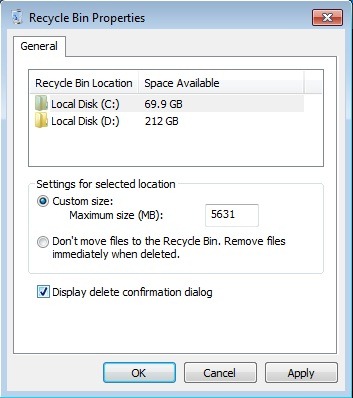
And that's it. From now on, whenever you send a file in Recycle Bin (intentional or not), the deletion confirmation dialog will be displayed.
STEALTH SETTINGS – How to re-enable delete confirmation dialog in Windows 8


You may also be interested in...
